
How to Pay Council Tax in Newport: A Practical Guide
Learn how to check your Newport council tax bill, choose a payment method, set up payments and avoid common account problems with practical local guidance.

To pay council tax in Newport, check your latest bill or online account for the amount due, payment reference and due dates, then use a method offered by Newport City Council. You can usually manage payments through the council’s online services or another listed option; confirm current instructions before sending money.
Your bill explains how the charge is calculated and which property and account it relates to. Checking those details first can help you spot a change, apply for relevant support or correct an error before it affects your payments.
This guide covers what the charge supports, what to check on your bill, ways to pay and how to plan regular payments. Keep your account reference and payment confirmation somewhere safe in case a payment takes time to appear.
- Check the latest bill for your property, account reference, charge and instalment dates.
- Use a payment method and instructions currently confirmed by Newport City Council.
- Keep payment confirmations and contact the council promptly about errors or missed instalments.
- Build the listed due dates into your household budget and review any revised bill.
What Newport council tax pays for
Services supported by the charge
Council tax helps fund local services provided by Newport City Council, alongside other income and funding. The council sets its share of the charge, while other parts can include amounts for services such as policing and fire and rescue. Your bill shows how the total is made up for your property.
- ☐ Match the property address to the home you occupy.
- ☐ Check the council tax band shown on your bill.
- ☐ Review the charge breakdown and payment dates.
- ☐ Keep your account reference for payment enquiries.
In Newport, council-funded services affect everyday life, from waste and recycling arrangements to local roads, housing support and community facilities. The exact mix of services and funding can change, so check Newport City Council’s published budget information if you want to see how current spending is described.
The amount on your bill is not a personal fee for one service, and paying it does not guarantee a particular service will be provided at a particular time. If you also budget for costs in Turkey, an exchange-rate site showing anlık döviz fiyatları can help you estimate those expenses alongside your household bills.
- Waste and recycling services
- Local roads and public spaces
- Housing and community support
- Council-run facilities and services
How your charge is worked out
Your council tax band is one factor in the amount charged, and the bill also reflects the local authority’s yearly charge and any applicable reductions. Properties in different bands can have different bills, so compare the band on your account with the official valuation information if something looks wrong.
A single-person discount, exemption or other reduction may apply in particular circumstances, but eligibility depends on the rules and your household details. Do not assume a reduction has been added automatically; check the bill and contact the council through its current services if you believe information is missing.
If your circumstances change, such as someone moving into or out of your home, review whether the council needs an update. Changes can affect eligibility or the amount due, and reporting them promptly helps prevent an unexpected balance later. Keep any confirmation of a submitted change with your council tax records.
Check your bill and account details
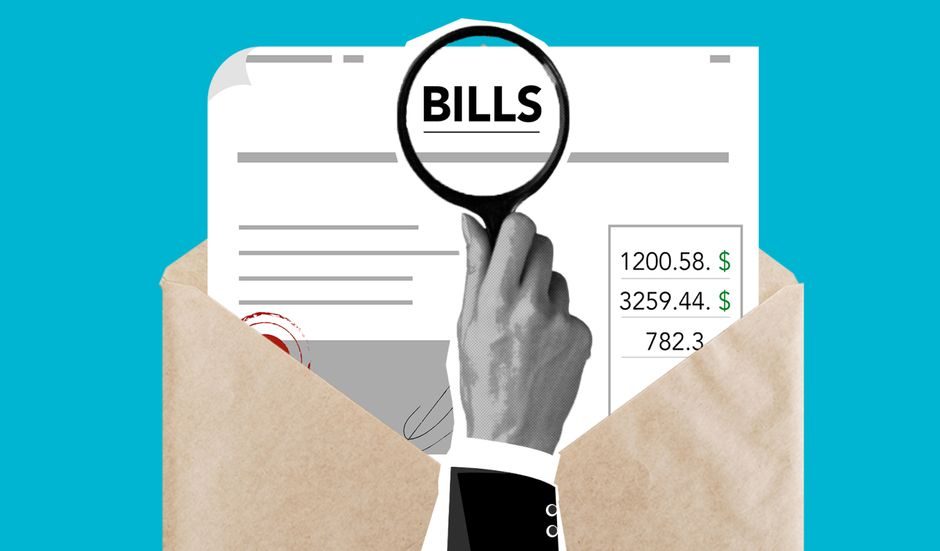
Read the bill before paying
Before making a payment, confirm the billing address, liable person or people, council tax band, total due and instalment dates. These details help ensure you are paying the right account and following the schedule shown by Newport City Council, rather than relying on an old bill or remembered amount.
Check the payment reference carefully whenever you use a bank or online service, because an incorrect reference may make it harder to match the money to your account. If you keep bills digitally, label the current one clearly and avoid using a saved payment instruction until you have checked it against the latest details.
For households paying euro-denominated costs abroad, an euro TL döviz çevirici can help compare the amount with the rest of the monthly budget. Keep that comparison separate from the council tax payment itself: Newport City Council’s bill and payment instructions determine what you owe and how to pay it.
- Check the property and account details.
- Confirm the band and charge breakdown.
- Note the instalment amounts and dates.
- Use the reference printed on the current bill.
Correct errors and report changes
If a name, address, band or household detail appears wrong, contact Newport City Council using the council tax contact route currently published on its website. Explain what needs correcting and provide only the supporting information requested through the council’s secure process; do not send sensitive documents to an unverified address.
A query does not necessarily pause an instalment schedule, so continue to follow the bill unless the council tells you otherwise. If you cannot pay the amount requested while the issue is checked, contact the council promptly and ask what arrangements or next steps are available for your account.
Changes to who lives at the property, a move or a change in eligibility may affect your account. Report relevant changes using the council’s designated service and keep a record of when you submitted the information. Check for a revised bill afterwards, since that document may change the amount or payment dates.
Choose a way to pay
Compare available payment methods
Use a payment method listed by Newport City Council for council tax, and check whether it suits your routine and account. The council’s current online guidance is the place to confirm which options are available, what details you need and whether a method requires you to act each month.
Direct Debit can help automate scheduled instalments where the council offers it, while an online card payment may suit someone who prefers to make each payment manually. A bank transfer or another route should only be used if Newport City Council’s instructions confirm it is accepted and explain the correct reference.
Choose a method you can monitor, especially if your income dates vary or you share responsibility for household bills. Before submitting payment, verify the council payee details, amount and account reference using an official council source. Save the confirmation or note the transaction details until the payment appears on your account.
- Automatic instalments: check Direct Debit availability.
- Manual payment: follow the council’s online instructions.
- Other methods: use only those the council confirms.
| Method | What it suits | Check before using |
|---|---|---|
| Direct Debit | Scheduled instalments | Availability and collection dates |
| Online card payment | Manual payment | Current council instructions |
| Other listed method | Alternative payment needs | Accepted route and reference |
Match the method to your needs
An automatic option may reduce the chance of forgetting a due date, but you should still check each bill and make sure the account has enough funds when instalments are collected. A manual method gives you control over when you submit each payment, but you must keep track of the schedule yourself.
If another household member makes the payment, agree who will check the bill, submit the money and keep the receipt. Avoid duplicate payments by confirming whether someone else has already paid the instalment. For shared finances, a simple record of dates and amounts can prevent confusion later.
Payment channels and instructions can change, so verify them on Newport City Council’s official website rather than following an old email or an unfamiliar message. If a payment is declined or the website is unavailable, use the council’s published advice to try again safely or find an alternative accepted route.
Use the instalment schedule on your current bill to plan council tax alongside rent or mortgage payments, energy costs and other regular commitments.
Set up payments and plan your budget

Build instalments into your budget
Use the instalment schedule on your current bill to plan council tax alongside rent or mortgage payments, energy costs and other regular commitments. A calendar reminder set before each due date gives you time to check your account balance and deal with a problem before a payment is missed.
- Base your budget on the latest bill.
- Keep a reminder for every instalment.
- Contact the council early if payment becomes difficult.
If you pay by an automatic method, confirm the collection dates and amount against the bill, then keep enough money available in the account. If you pay manually, set reminders for both the payment date and a day beforehand. Do not assume an amount remains unchanged after a new bill or account adjustment.
Households managing expenses in more than one currency can keep council tax in its own budget line and record overseas costs separately. That makes it easier to see which amount is due to Newport City Council and which depends on exchange rates. Recheck the council figure whenever a revised bill arrives.
- Record the bill’s instalment dates.
- Set reminders ahead of payment deadlines.
- Check available funds before collection.
- Update your plan when a revised bill arrives.
Prevent missed or duplicated payments
After paying, keep the confirmation until the transaction appears against your council tax account. If the payment is not visible after a reasonable processing period, check your bank record and the council’s current guidance before paying again. A second payment made in haste can leave you with an avoidable credit or refund query.
If a bank rejects a Direct Debit or a card payment fails, check the reason shown by your bank or payment service and follow the council’s instructions for bringing the account up to date. Contact Newport City Council if you are unsure whether the instalment has been received; provide the date and reference, not unnecessary financial details.
If you miss a due date, do not ignore a reminder or assume the next instalment will correct the balance automatically. Read any council notice carefully and contact the council promptly to discuss the account and available next steps. Acting early gives you a clearer view of what is outstanding and how to resolve it.
If your circumstances or address change
Moving within Newport
Tell Newport City Council when you move, even if your new home is also in Newport. Your council tax account is linked to a particular property, so a move can change which bill you need to pay and the dates it covers. A useful resource on this topic: bugün dolar kaç TL.
- Tell Newport City Council your move date and both addresses.
- Provide the details requested to identify your old and new accounts.
- Check that your final bill covers only the period you lived at the old address.
- Keep confirmation of your update and follow up if the account remains incorrect.
Give the council your old and new addresses, the date you moved, and details of anyone who will be responsible for the new account. Keep a note of the information you submit and check that the closing bill for your old home reflects your move-out date.
If you rent, do not assume that your landlord has updated the council for you. Confirm who is responsible for council tax under your tenancy arrangements, and contact the council if a bill continues to arrive for a property you have left.
Changes to household circumstances
Report a change in who lives in your home if it could affect your council tax, such as someone moving in or out. The council may need details to decide whether a discount or another adjustment still applies, so do not rely on an earlier decision continuing unchanged.
If your circumstances change because of a separation, bereavement, or a change in a resident’s status, ask the council what evidence it needs. Send only the information requested through its approved process, and keep copies or confirmation of anything you provide.
Residents handling expenses abroad may check бүгін доллар kaç TL when estimating a dollar cost for their personal budget, but that estimate does not change a Newport council tax bill. Keep the council’s bill and the amount actually due as the record for your council tax account.
Avoid missed payments and common problems
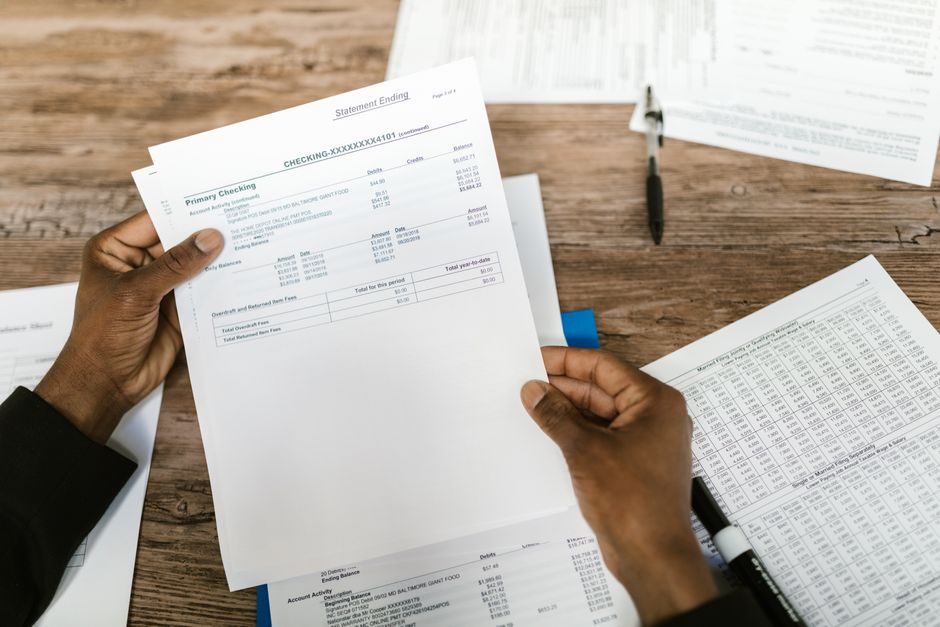
When a payment does not appear
If a payment is missing from your account, first check the date, amount, and payment reference on your bank statement or receipt. A payment can take time to show, and comparing those details helps you avoid making a duplicate payment while you check what happened.
Use Newport City Council’s official council tax contact route to report an uncredited payment, giving the account reference and proof of payment if requested. Do not send full card or bank security details in an email or message, and keep a copy of the enquiry.
If your bank shows that a payment was declined or returned, contact the bank to find out why and ask the council how to bring the account up to date. A returned payment may leave an instalment outstanding, so check the balance rather than assuming the issue has cleared.
Preventing avoidable arrears
Check that your payment method is still active after changing bank accounts, cards, or payment instructions. If a regular payment is due, make sure the funding account has enough available money and that any new instruction has been accepted before relying on it.
Open council correspondence promptly, including messages about a revised bill or missed instalment. The amount or payment schedule may have changed, and continuing to pay an earlier amount can leave a shortfall even when payments are reaching the council.
If you cannot pay an instalment, contact Newport City Council as soon as you realise there is a problem. Explain what you can manage and ask what options apply to your account; do not ignore reminders, because waiting can make it harder to resolve the balance.
Get help with a council tax query
Prepare before contacting the council
Have your council tax account reference and the address on the bill ready before you contact Newport City Council. State the issue clearly, such as a payment not showing, a move not recorded, or a question about a charge, so your enquiry can be directed to the right service.
Include the dates and amounts that matter, and say what you have already checked. If you are querying a payment, refer to the bank transaction or receipt; if the issue is a bill, identify the period or line you do not understand rather than sending a general complaint.
Use the contact details and online routes shown on the council’s official website or on your bill. Avoid sharing sensitive account information through unverified messages, and keep the date of your enquiry and any reference number so you can follow up without starting again.
When you disagree with a bill
If you think a bill is wrong, explain exactly what appears incorrect and provide the facts that support your view. For example, identify a move date that has not been recorded or a household change that may affect the account, then ask the council to review the relevant detail.
Do not stop paying simply because you have asked a question or requested a review. Follow the bill’s current payment instructions unless the council tells you otherwise, and contact it promptly if paying while the query is considered will be difficult.
Keep any written response and note what the council says it will do next. If the answer does not resolve the issue, reply with the specific point that remains outstanding and ask what formal review or complaint route is available for that type of query.
Keep track of payments and records

Keep a clear payment trail
Save each bill, payment confirmation, and message about your Newport council tax account in one place. A digital folder or paper file makes it easier to compare the amount due with what left your bank and to respond quickly if a payment is questioned.
- Mistake: Deleting payment confirmations; better approach: keep them with the matching bill.
- Mistake: Mixing records for different addresses; better approach: label each property and bill period.
- Mistake: Assuming a bank payment cleared the council balance; better approach: check the account and query any mismatch.
Label records with the property address and the bill period, especially if you have moved or manage more than one household account. Keep receipts or bank entries that show the date and amount, but do not store unnecessary card details alongside your council tax paperwork.
After a payment, check the account when practical to confirm that it has been credited. If the balance does not match your records, gather the relevant bill and transaction evidence before contacting the council, so you can explain the difference without guessing.
Reviewing your account over time
Compare each new bill with the previous one when it arrives, paying attention to the property, liable person, period covered, and instalment details. This quick check can reveal a move that was not applied or a changed schedule before it leads to confusion about what remains due.
Keep a simple note of payments made and any contact with the council, including the date, subject, and response. This record is useful if you need to explain a sequence of events, particularly where a payment, account update, and revised bill happened at different times.
When you move or close an account, retain the final bill and confirmation that the change was processed. Check that any remaining amount or credit is explained, and follow up through an official council contact route if the closing statement does not match your records.
Frequently asked questions
Where can I find my Newport council tax account reference?Look at a recent council tax bill or other official correspondence from Newport City Council; the reference is used to identify your account. If you cannot find it, contact the council through the details on its official website and provide the property address and the information it requests to confirm your identity. Avoid sending sensitive details through an unverified channel.
What should I do if I paid the wrong amount?Check your account and bank record first, then contact Newport City Council if the payment has left your account or the balance looks wrong. Give the account reference, payment date, and amount, and ask how the payment has been applied. Do not assume that an overpayment has been refunded or that an underpayment has been corrected without confirmation.
Can I change how I pay council tax after receiving a bill?Check Newport City Council’s official payment information for the methods currently available and the steps to change your arrangement. Make sure any new instruction is accepted before cancelling an existing one, so an instalment is not missed during the change. Continue to check your bill and account for the amount and dates that apply.
Who should I contact if a reminder does not match my records?Contact Newport City Council using an official council tax route and explain which reminder detail differs from your records. Have the bill, payment evidence, account reference, and any previous correspondence ready. Ask the council to confirm the current balance and what action is needed; keep following the latest payment instructions while the discrepancy is checked.
Stay on top of your Newport council tax
The simplest way to avoid council tax problems is to keep the council informed when your address or household changes, check each bill, and make sure payments have reached the account. Save bills and receipts together, and raise discrepancies with Newport City Council promptly. If an instalment becomes difficult to manage, contact the council rather than leaving a reminder unanswered.
As a next step, find your latest bill and confirm that the address, account details, and payment schedule are still correct. Then check the account against your recent bank transactions and keep a record of any query you send. Use the council’s official website or the contact details on your bill whenever you need to update information or ask for help.
Add Newport Wire as a preferred source on Google


